
Plainmark guide
How to save an online article as Markdown.
Keep the article itself, its source details, and the links that matter—without saving the navigation, cookie notices, and other parts of the webpage.
The short answer
To save an online article as Markdown, paste its public URL into a webpage-to-Markdown converter, compare the extracted text with the article, remove page furniture, and download the result as an .md file. Keep the title, author, publication date, source URL, headings, body, useful links, quotations, and meaningful images.
Before you save the article
Start with the article's permanent public URL. It should open without your account, a private session, or a paywall. A homepage, search page, or social feed is a poor substitute because its contents change and the main article may be difficult to identify.
Read the page once before converting it. Note the visible headline, byline, date, section order, final paragraph, and any chart or image needed to understand the text. Those details become your reference when the Markdown is ready.
Save an online article as Markdown in four steps
1. Copy the article's full URL
Open the article itself and copy the address from the browser. If the link passes through a newsletter or tracking service, open it first and use the final publisher URL.
2. Convert the public page
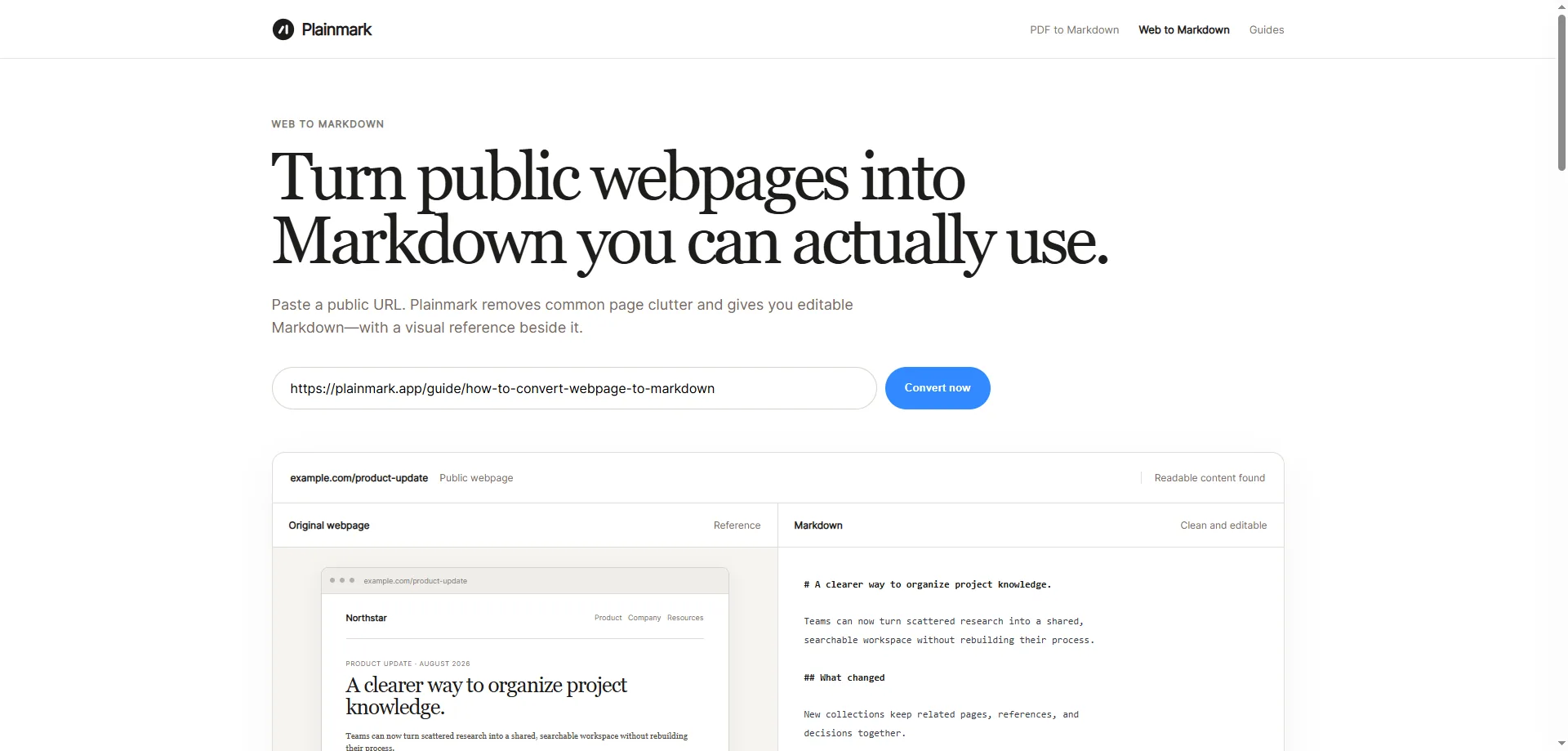
Open Plainmark Web to Markdown, paste the URL, and start the conversion. Plainmark handles one public page at a time and keeps a visual reference beside the editable result.
3. Compare the article with the Markdown
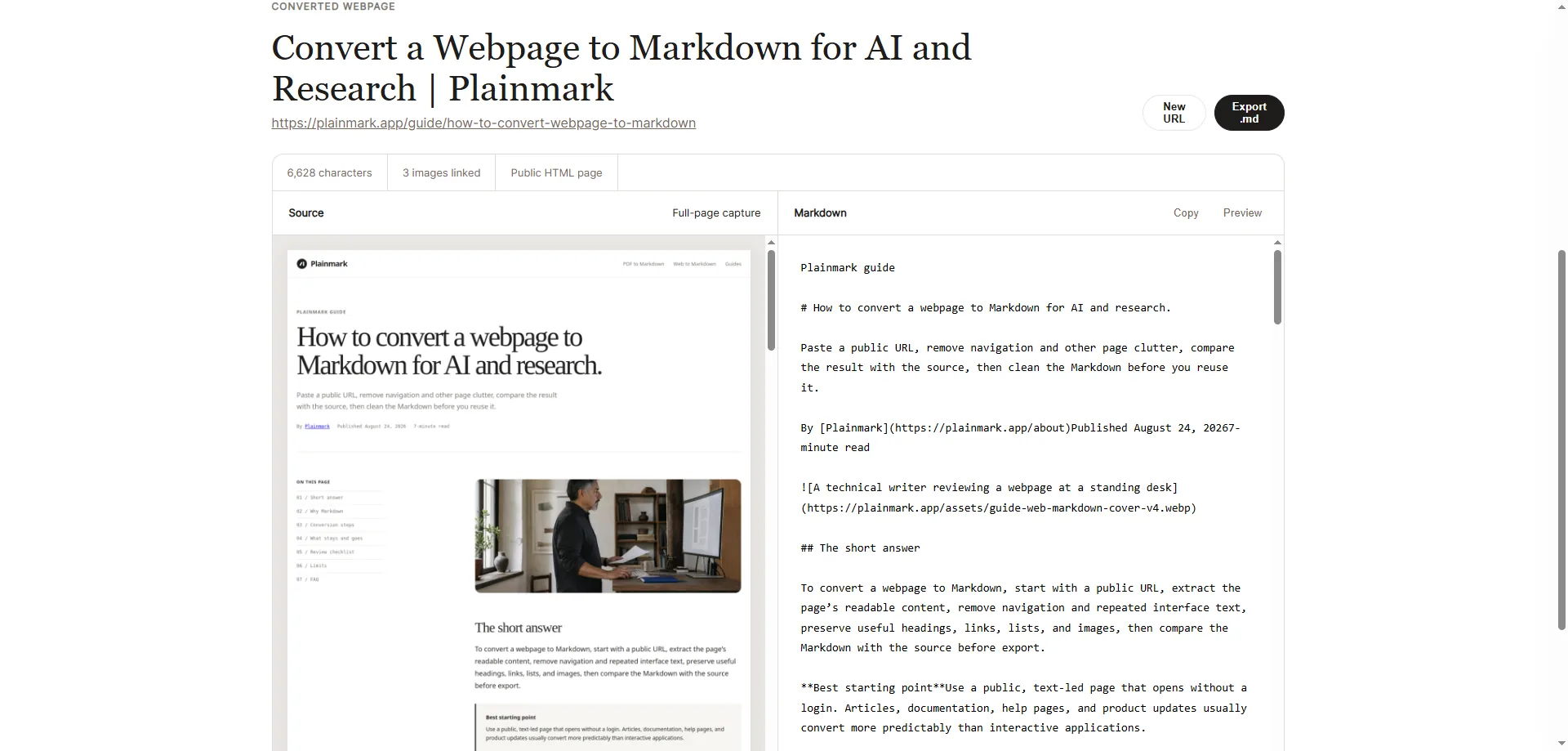
Check the beginning and end first. A clean opening with a missing final section is still an incomplete copy. Then compare the headings, lists, quotations, links, image captions, and any code or table that carries meaning.
4. Edit and download the file
Remove newsletter forms, share buttons, related stories, repeated navigation, and other text that belongs to the site rather than the article. Add source details if they were not extracted, then copy the Markdown or download the .md file.
# Example article title

By A. Writer · Published September 5, 2026

The opening paragraph starts here.

## First section

Article text, useful links, and quotations continue here.

Source: https://example.com/article
What belongs in the saved article?
| Keep | Remove |
|---|---|
| Headline, byline, and publication date | Site navigation and account controls |
| Article headings and body paragraphs | Cookie notices and newsletter forms |
| Quotations, lists, tables, and code | Share buttons and reaction counters |
| Links and images needed for context | Unrelated recommendations and promotions |
| Original source URL | Repeated headers, footers, and mobile menus |
The boundary depends on why you are saving the article. A related-story list is clutter in a reading archive, but it may be relevant when studying a publication's content strategy. Decide what the file is for before deleting context.
Check the Markdown before filing it away
- Identity: Does the title match the visible article, and are the author and date accurate?
- Completeness: Are the first and final paragraphs present?
- Order: Do the headings and paragraphs follow the same sequence as the page?
- References: Do important links use clear labels and open the intended destination?
- Media: Are useful images paired with the right caption or alt text?
- Provenance: Is the original URL easy to find inside the file?
Markdown has a compact set of document elements. The CommonMark specification defines its core syntax, while the MDN reference for the HTML article element explains how a webpage can mark self-contained content. Real sites do not always use those elements consistently, which is why the visual comparison still matters.
Common problems and what they mean
The converter saved only a title or an empty page
The article may be rendered after JavaScript runs, protected by a login, or blocked from automated access. Do not treat an error page as a successful archive.
The Markdown includes the whole website
Remove menu labels, footer links, consent text, and recommendation blocks. If the article body is a small part of the result, it may be quicker to select the useful sections manually.
Images or links do not open
The page may use relative addresses or temporary image URLs. Replace important references with stable, complete URLs and check them outside the original browser tab.
The article changes later
Your Markdown file is a saved working copy, not a live mirror. Record the access date when later revisions matter, and revisit the source before quoting time-sensitive information.
Frequently asked questions
Can I save any article as Markdown?
No. The strongest candidates are public, text-led articles that open without a login or paywall. JavaScript-only pages and sites that block automated access may not convert.
Is an article-to-Markdown file the same as a web archive?
No. Markdown keeps readable content and simple structure, but it does not preserve the full design, scripts, comments, or every embedded element. Keep the original URL and use a web archive or PDF when visual fidelity matters.
Can I edit the article after conversion?
Yes. The result is editable Markdown. Keep editorial changes distinct from the quoted source if accuracy or attribution matters.
Can I republish the saved article?
Conversion does not grant republication rights. Follow the publisher's terms and the rules that apply to your use, and retain attribution where required.
Save one public article as clean Markdown.
Paste the article URL, compare it with the extracted text, then edit and download the result.
Convert an article