
Plainmark comparison
5 PDF to Markdown converters tested on the same PDF.
The best tool depends on what you are converting. We tested five tools on the same PDF and compared their heading, list, and table output.

The short answer
Choose Plainmark when you want to inspect a text-based PDF beside editable Markdown. Choose Mathpix for equations and scientific OCR. Choose Marker for an open-source local converter, Docling for structured developer and RAG pipelines, and Microsoft MarkItDown for lightweight multi-format extraction.
How this comparison was made
We converted the same one-page, text-layer PDF with Plainmark, Mathpix, Marker 2.0.0, Docling 2.120.3, and Microsoft MarkItDown 0.1.7 on August 19, 2026. The sample contains a title, three section headings, a bullet list, and a two-column table. We checked the exported Markdown against the source instead of assigning a made-up accuracy score.
Test environment: Windows, CPU processing, default settings. Docling took about 247 seconds and Marker about 132 seconds on their first model-backed run; subsequent runs may be faster. Download the exact test PDF.
Text PDFs, scans, tables, equations, and image extraction.
Whether the source and Markdown can be inspected together.
Browser upload, managed cloud service, or local installation.
How much configuration is required before the first conversion.
1. Plainmark
Plainmark is designed around a review workspace: the original PDF remains visible while you edit, preview, copy, or export the Markdown. It works best with text-based reports, papers, and presentations.
Executive summary
Key findings
- Headings and paragraphs
- Review before reuse
In our reproducible test, headings, paragraphs, and bullets were preserved. A two-column table was flattened and needed manual reconstruction. Plainmark does not currently run OCR, so scanned pages are outside its intended scope.
2. Mathpix
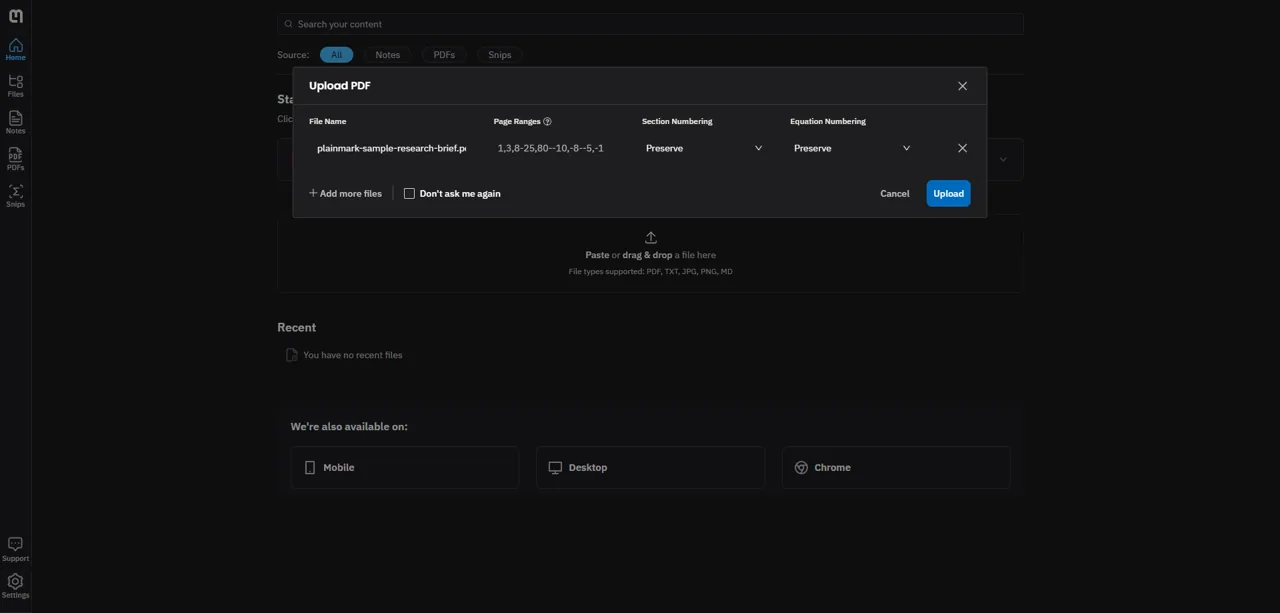
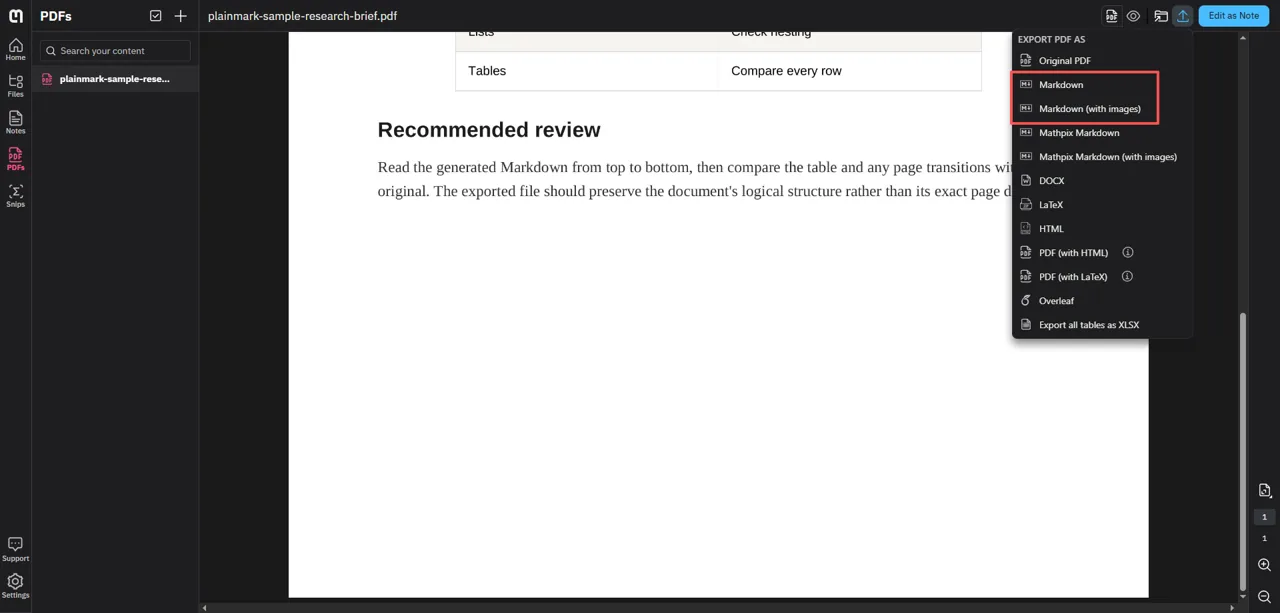
Mathpix provides a managed upload workspace and exports both Markdown and Markdown with images. In our test, it preserved every bullet and rebuilt the two-column table correctly. The main document title was exported as ##, so its hierarchy needed one manual edit.
## Remote Research Workflow Brief

## Executive summary

| Document element | Review priority |
| :--- | :--- |
| Headings | Check hierarchy |
| Lists | Check nesting |
| Tables | Compare every row |
Result tested directly; broader OCR capabilities checked against Mathpix PDF conversion.
3. Marker
Marker 2.0.0 preserved the paragraphs, bullets, and complete table in our local CPU test. It returned the document title as an H2 and added bold markup inside the section headings. Its first run took about 132 seconds after installation and model setup.
## Remote Research Workflow Brief

## **Key findings**

- Headings and paragraphs provided the most reliable structure.

| Document element | Review priority |
|---|---|
| Headings | Check hierarchy |
| Lists | Check nesting |
| Tables | Compare every row |
Tested locally with default settings. See the official Marker repository.
4. Docling
Docling 2.120.3 preserved the body, list, and complete table. Like Mathpix and Marker, it rendered the document title as an H2. The first CPU conversion took about 247 seconds after its models loaded. Setup initially failed from a Windows path containing non-ASCII characters before succeeding in a plain English path.
## Remote Research Workflow Brief

## Key findings

- Headings and paragraphs provided the most reliable structure.

| Document element   | Review priority   |
|--------------------|-------------------|
| Headings           | Check hierarchy   |
| Lists              | Check nesting     |
| Tables             | Compare every row |
Tested locally with default settings. See the Docling project.
5. Microsoft MarkItDown
MarkItDown 0.1.7 installed and ran quickly, and it retained the document's readable text. It did not generate Markdown headings for this sample, split one paragraph across lines, and flattened the table into a sequence of cell values.
Remote Research Workflow Brief

Executive summary

Key findings

- Headings and paragraphs provided the most reliable structure.

Document element
Review priority
Headings
Check hierarchy
Tested locally with default settings. See the official Microsoft MarkItDown repository.
Which PDF to Markdown converter should you choose?
- Choose Plainmark for text-based PDFs that require visual review.
- Choose Mathpix for scanned scientific papers and equations.
- Choose Marker when local, open-source processing matters most.
- Choose Docling for structured ingestion and RAG pipelines.
- Choose MarkItDown for lightweight, multi-format extraction.
No converter removes the need to review important documents. Check headings, reading order, tables, image placement, footnotes, and equations before publishing or indexing the Markdown.
Want to review the result yourself?
Convert a text-based PDF with the original page beside editable Markdown.
Open Plainmark